
10 Live Chat Lead Generation Strategies That Still Work
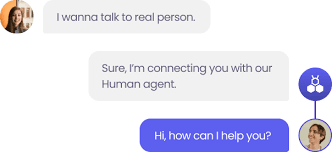

Live chat lead generation uses real-time chat conversations between a human agent and a website visitor to capture qualified leads.
The flow is simple. A visitor lands on a page. The chat opens, either because they click the widget or because a proactive trigger fires. A human agent asks qualifying questions, captures intent and contact info, and passes the lead to the sales team for follow-up.
When used well, it’s one of the quickest, most direct ways to turn a visitor into a qualified lead, especially in urgency-driven services, complex high-consideration purchases, and premium e-commerce. You’re talking to a buyer at the exact moment they’re interested in your product or service. A real conversation a form can’t replicate.
But most live chat advice online is out of date. It doesn’t reflect how live chat technology has evolved and how modern website visitors behave.
This article fixes it. It covers 10 ways to use live chat to engage visitors and capture leads effectively in the current reality.
1. Trigger proactive chat on visitor behavior, not a timer
The traditional “fire chat 5 seconds after page load” approach, recycled in one article after another, isn’t effective.
5 seconds, 30 seconds, or even a minute isn’t enough for the reader to read anything on the page. So instead of engaging with the chat, they’ll dismiss it like any other annoying pop-up.
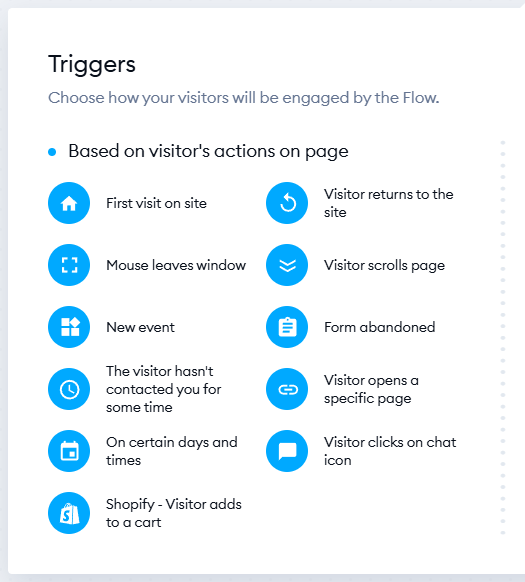
Behavioral triggering solves the problem. Firing the chat on intent signals engages the visitor when they’re clearly interested and ready to talk.
What intent signals are we talking about? It could be visits to your pricing page, deep scroll on a feature page, repeat visits within a recent window, multiple product page visits in one session, or a long dwell time on a comparison page.
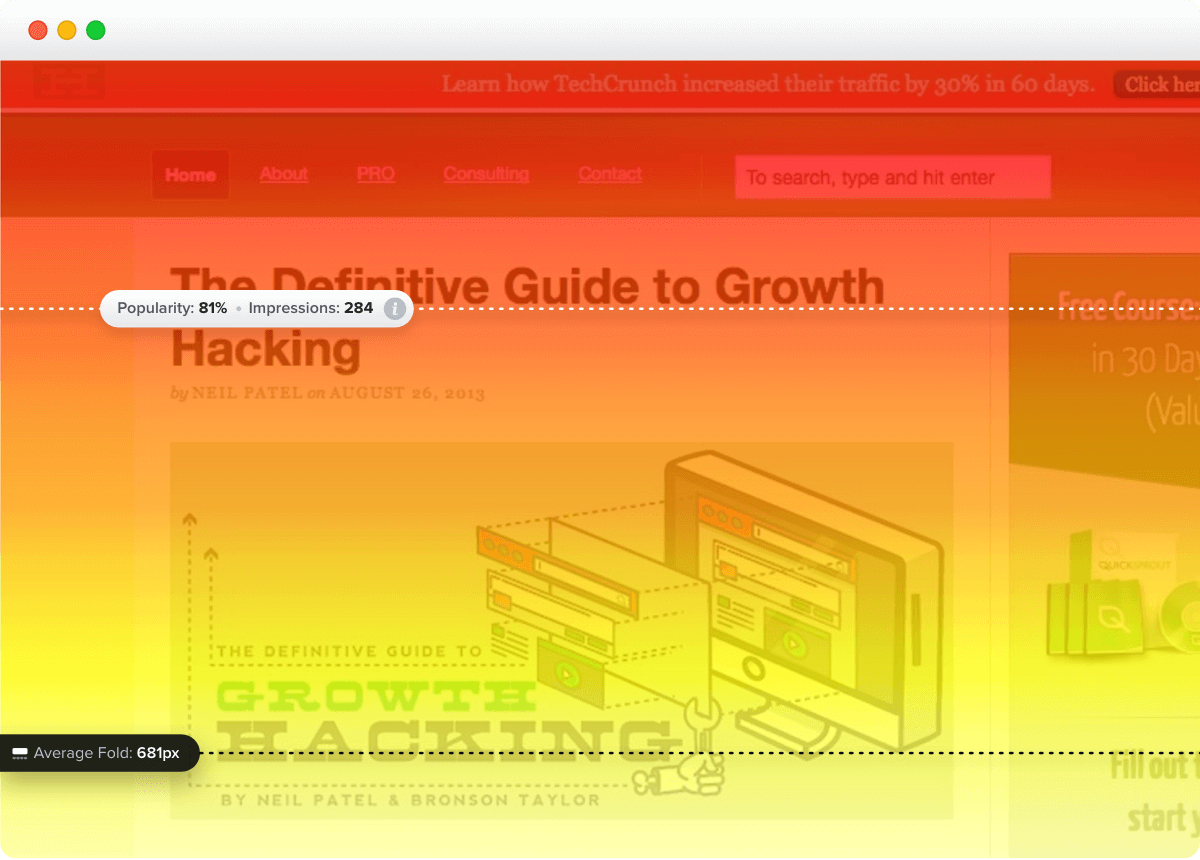
The exact thresholds depend on your product and the page. Use web analytics, heatmaps, and session recordings to analyze the behaviors leading to conversions, and use the insights to set your triggers.
2. Design the chat widget so visitors actually use it
Your chat widget design must stand out so visitors don’t ignore it the way they ignore cookie banners or popups.
Design for mobile first, because that’s where most of your traffic comes from. Pick a widget color that contrasts with your site background. Size the entry point at least 60px on mobile, and consider a labeled pill (“Chat with sales” or “Ask a question”) instead of a bare icon so the function is obvious.
Bottom-right is the standard chat location: that’s where visitors expect it to be, but consider a sticky bottom-center button on mobile for easier thumb reach.
A few more details to get right:
- Use a real photo and the first name of someone who handles chat. Avoid stock photos and mascot avatars, as they don’t look professional and erode trust.
- Use conversational UI with short agent messages, typing indicators when someone is responding on your end, and quick-reply buttons, not free-text forms.
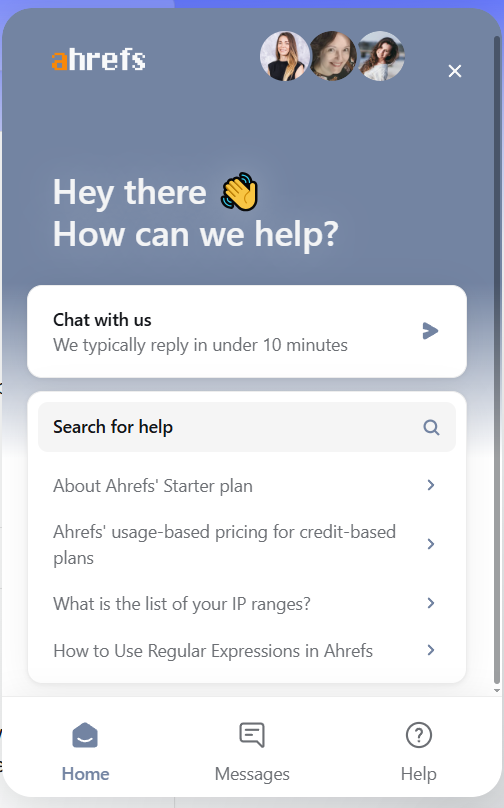
- Add trust signals like online/offline indicator and a “we reply in X minutes” promise that matches your team’s capacity.
- Skip dense pre-chat forms.
- Build the widget for accessibility. Choose a chat platform with documented accessibility support; ensure it’s keyboard-navigable, uses visible focus indicators, not color alone, and allows screen readers to announce new messages.
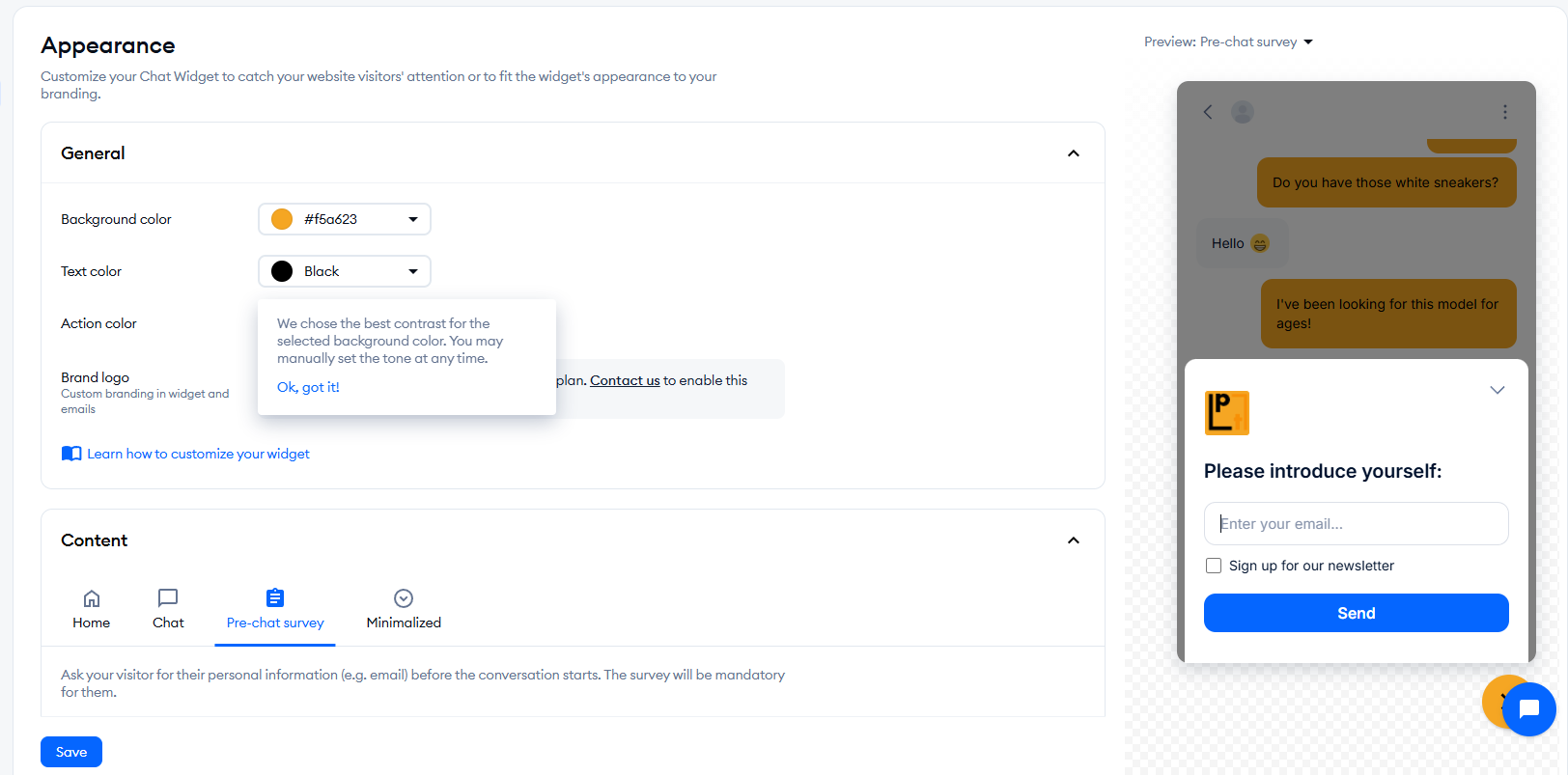
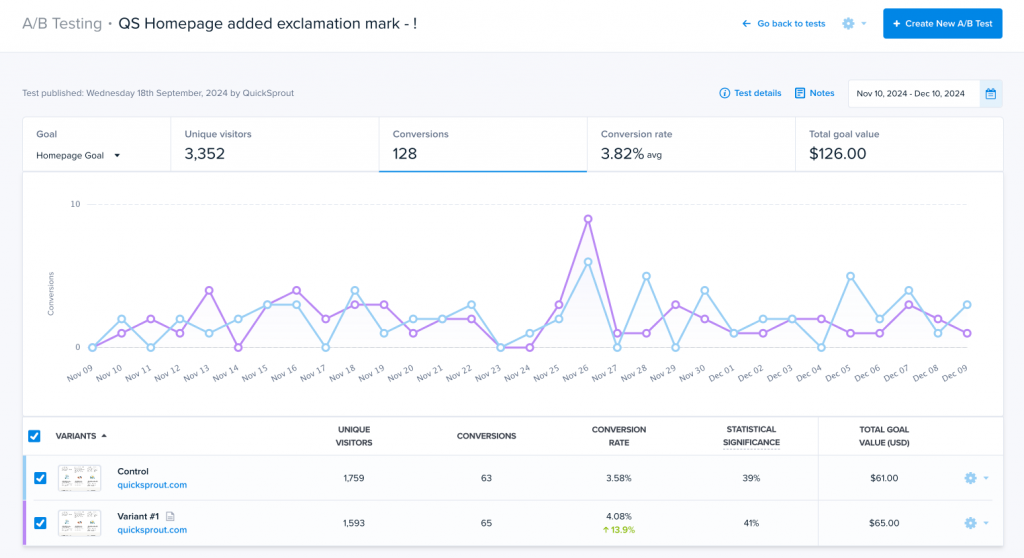
Once it’s live, use heatmaps and session recordings to check whether visitors notice it and analyze how they engage. Tweak the microcopy, layout, colors, and placement, and run A/B tests to find the most engaging combination.
3. Write a contextual opener for each key page
Instead of opening the chat with a generic “Hi, can I help you?”, create contextual openers for every page.
For example:
- Pricing page: “Looking at pricing — want a 2-minute walkthrough of which plan fits your size?”
- Feature page: “Curious how [feature] works in practice? I can show you.”
- Comparison page: “Comparing [Product] to [Competitor]? Want to discuss the honest trade-offs?”
- Blog or educational page: “If this is useful, shall I send the full version as a PDF?”
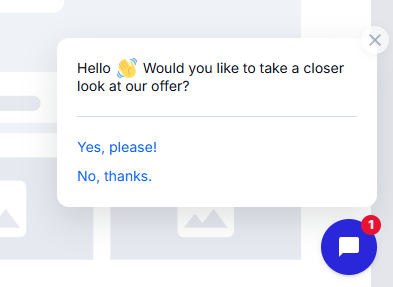
If your live chat software supports it, A/B test different variants to pick the most engaging one. If not, test variants by rotating them and tracking engagement in your chat analytics.
4. Respond in minutes
Considering that live chat works best for urgency-driven services and products, a quick response is a must.
How quick is quick enough?
A 2024 LiveChat report states the average chat response time was 35 seconds, so we can assume that current benchmarks are around 30 seconds, and definitely under a minute. (By the way, the widely quoted “responding in one minute lifts conversion 391%” traces back to a 2011 InsideSales/Harvard Business Review study, so it might not hold anymore.)
Here’s what can help reduce response times and provide a good customer experience:
- Service Level Agreement (SLA): Set a first-response target based on your team’s capacity and set a clear expectation up front (“we reply in X minutes”). Track response times and adjust accordingly.
- Rotation and mobile alerts: If you’re a small team, rotate one rep on chat duty each day. Wire every new chat to a push notification on the on-duty rep’s phone, so they know when a new chat opens.
- Tiered triage: One agent (or chatbot) acknowledges the chat in seconds and routes to a specialist within minutes.
5. Use a chatbot to qualify leads before handing over to live chat
Chatbots are also useful for pre-qualifying leads so your agents can focus their energy on the high-intent conversations.
Live chat wins on trust, complex handling, and lead-qualification depth, but is expensive to staff around the clock.
Chatbots flip the equation. They offer scale, instant response, low cost, 24/7 availability, but no empathy, limited reasoning, and they follow pre-programmed scripts (even the LLM-powered ones).
That’s why the most effective lead gen operations choose a hybrid approach. The bot doesn’t replace the human conversation but makes it more productive.
A few design rules:
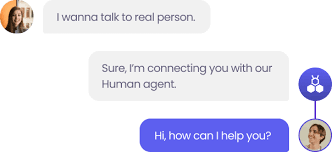
- Make the handover visible: “I’ll connect you with a real person now.”
- Don’t fake being human — use a distinct bot avatar and name (it’s a legal requirement in many jurisdictions anyway)
- Keep qualifying questions short (3 to 4 max)
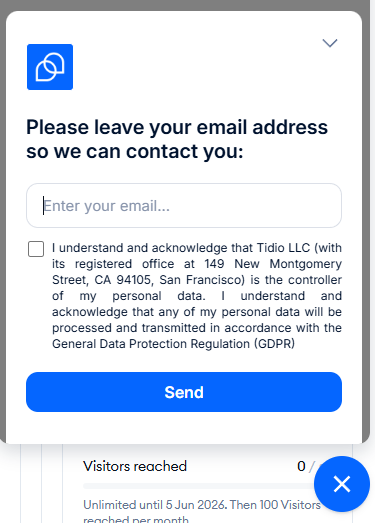
- If a human can’t take it right away, set expectations, and capture contact details in case the visitor disconnects: “Sarah will follow up within 30 minutes. Can you confirm your email so we can reconnect if necessary?”
6. Re-engage visitors who abandon a form or cart
Form and cart abandonment is the highest-intent exit moment in the sales funnel, so fire an exit-intent chat to recover it before the visitor’s gone.
Common abandonment causes, like a field they don’t want to fill, trust concerns, or too many fields, are all things a chat conversation can solve.
Most chat tools have native exit-intent triggers tied to forms and carts on desktop. Set them on the specific high-value flows, like contact, demo, or checkout.
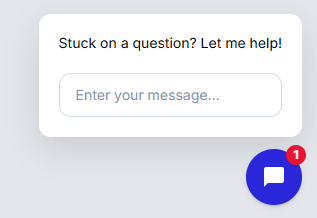
Lead the recovery message with help. “Need help completing the form?” or “Stuck on a question?”
On mobile, this is trickier. Exit-intent doesn’t work reliably without a mouse, and the workarounds, like scroll-up detection or inactivity timers, can misfire. So use them sparingly or skip altogether.
7. Offer a lead magnet inside the chat
A lead magnet is a low-friction way to capture a contact mid-chat. You give the visitor a gated resource and, in exchange, get their email or phone number.
Magnets that work over chat:
- An industry-specific checklist or template
- A recorded webinar or short video
- A personalized audit, quote, or estimate
- A discount code (ecom) or extended trial (SaaS)
Position the offer after one or two qualifying exchanges, not as the opener. Otherwise, it will read like a popup.
Match the magnet to the page topic: pricing gets a plan calculator, demo gets a walkthrough, a guide gets an industry report related to the topic.
After the share, send the magnet and offer a next step, like a demo, call, or consultation. The magnet is just the foot in the door.
8. Turn the chat into a booked meeting or live call
Converting a high-intent chat into a booked meeting or a live call before the potential customer leaves increases the conversion rates.
Chili Piper’s 2025 benchmark found that “letting customers book a meeting with you immediately after form fill doubles your inbound conversion rate — from 30% to 66.7%, on average.”
The finding is about form fills, and not live chat conversations, but I would expect a similar impact. Once they close the tab, you lose their attention, and re-engaging them requires more effort.
Two possible ways to implement it:
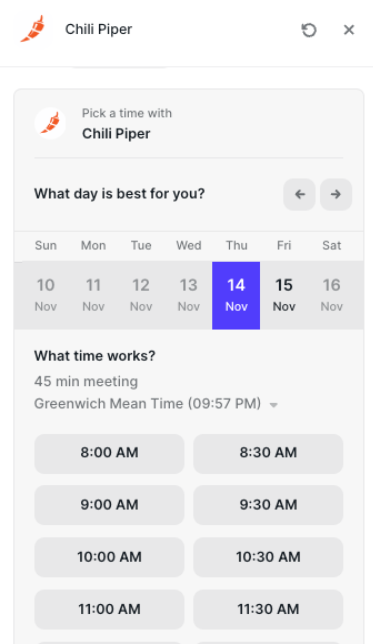
- Embedded calendar booking: drop a scheduling link in the chat for the visitor to book a demo or call. Most chat tools support it natively or integrate with appointment booking apps like Calendly.
- Chat-to-call escalation: for the highest-intent chats, escalate to a voice or video call with a sales rep on the spot.
To make this work efficiently, define escalation criteria based on urgency cues and firmographic data, so reps know when to push toward a live call instead of a booking.
9. Run live chat through WhatsApp or SMS
In addition to the widget, use WhatsApp and SMS to power live chat on your site.
Enabling WhatsApp, SMS, or iMessage chat had two benefits: less friction for the user, and automatic lead capture for you. There’s no form to complete because you get their verified phone number the moment they message you.
As with all capture methods, contacting with marketing messages requires the lead’s consent. Each channel needs its own opt-in. A WhatsApp opt-in doesn’t license SMS or calls.
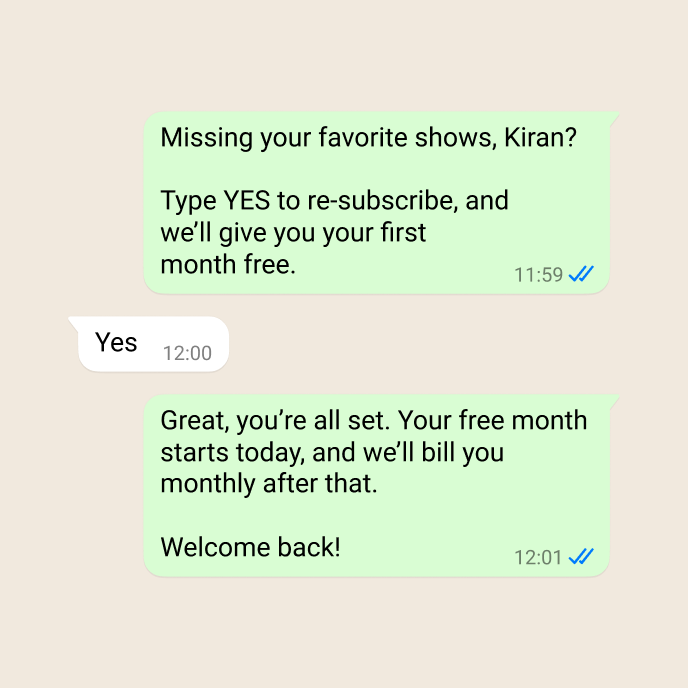
Consent or not, you can’t send marketing messages via WhatsApp in the US after Meta paused marketing-category template messages to US phone numbers in April 2025. The pause is “temporary” but remains active as of May 2026.
10. Use account-based live chat to capture leads from target accounts
If you sell B2B against a target account list, use live chat to turn an anonymous visit from one of those accounts into a named, in-market contact.
To do so, you need a visitor-ID tool, such as Warmly, Leadfeeder, or ZoomInfo, that detects the visiting company using IP, behavior, and intent signals. This allows you to fire a tailored chat when a target account is browsing. And if they engage, capture a named contact with live intent and the firmographic context attached.
When engaging such accounts, don’t overpersonalize. Instead of naming the company in the opener, which may sound surveillant, use the account data to adjust the chat tone and offer relevant information.
Putting Live Chat to Work for Lead Generation
Live chat captures leads best when the setup matches how visitors behave and what they expect from the website experience.
If I were starting from zero, I’d work in this order:
When your live chat goes live, monitor its performance. Apart from tracking leads captured and qualified, monitor how users interact with the interface and the website to fine-tune the design and triggers. Start it today with Crazy Egg analytics, heatmaps, session replays, and A/B testing — for free.
FAQs
Who should own live chat, marketing or sales?
Both marketing and sales should own live chat, but for different parts. Marketing owns the setup — triggers, openers, widget design, and the tooling — and covers early-stage research enquiries. Sales owns the late funnel conversations and closing. Route the visitors to the right agents with 1-2 qualifying questions.
Can AI or ChatGPT generate leads on its own?
AI tools like ChatGPT help automate aspects of lead generation. They can capture and qualify leads, but they won’t bring traffic to your website on their own or nurture the leads beyond simple follow-ups.
AI chat is strong at the top of the funnel: answering simple questions, collecting contact info, and routing visitors. It falls short on the high-intent, complex, or high-trust conversations.
How do I stop my team from drowning in non-lead chats?
Most incoming chats aren’t leads but support inquiries, job seekers, and vendors. Two things help you filter them out so your sales team doesn’t get overwhelmed: A chatbot front line that screens and routes support, marketing, and sales-related chats before a human joins, and keyword or spam rules that filter the obvious noise.
