
Is Managed Hosting Worth the Cost?

Managed hosting is worth its price below $30 a month and is hard to justify at $340. The difference between an entry managed WordPress plan and an unmanaged plan hosting the same site is about $20 a month, which buys 8 to 30 minutes of a freelance developer’s time at 2026 rates. Run the same subtraction at agency pricing, where a twenty-install plan costs $340 a month against $40 to $80 for comparable capacity elsewhere, and the difference becomes $260 to $300 a month, or 3.8 to 4.3 hours of developer time.
What Does Managed Hosting Include?
Because no industry definition of managed hosting exists, the seven vendors who dominate the category in 2026 publish seven different task lists under the word. Three of those lists:
Kinsta counts a managed firewall, free malware removal and continuous database optimization

WP Engine counts WordPress, PHP and MySQL updates plus security patching and plugin risk scans
Rocket.net counts automatic WordPress updates, a network-layer firewall and a real-time malware scanner, and drops email hosting from the product entirely because it only serves WordPress
Vendor preference is not the only source of the confusion, because the shared-hosting side of the market uses the same vocabulary. GreenGeeks sells shared hosting and describes the same checklist on its WordPress hosting plans, telling buyers that it never charges extra for WordPress security, performance or support. Features, performance, support and pricing differ widely from one managed product to the next, and Liquid Web now sells its own managed WordPress product exclusively through its sibling brand Nexcess.
The price tells a buyer nothing on its own while the task list changes this much by vendor, so the comparison has to be made across the set of tasks included at a given tier.
Managed WordPress Hosting Prices in 2026
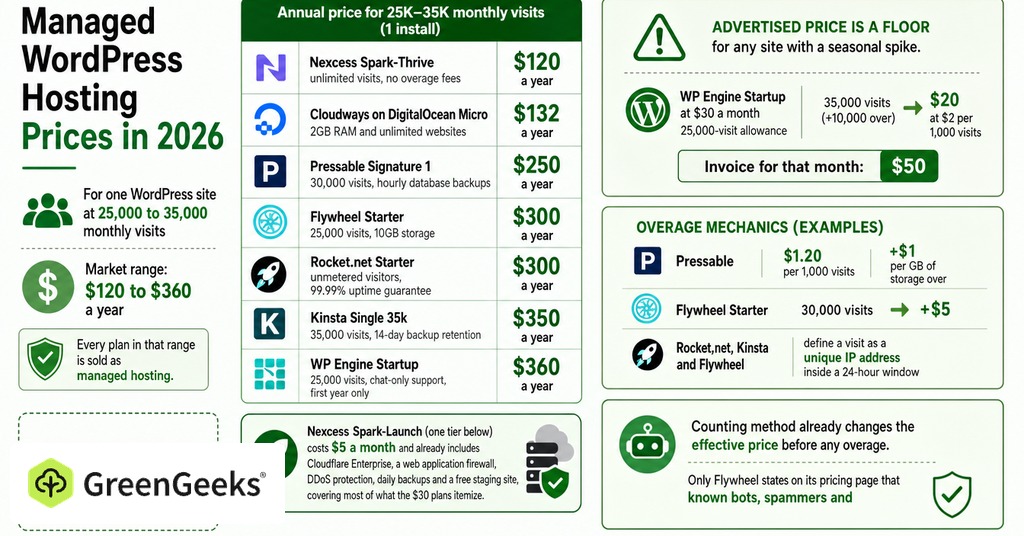
For one WordPress site at 25,000 to 35,000 monthly visits, the market charges anywhere from $120 to $360 a year, and every plan in that range is sold as managed hosting.
Entry Plans at 25,000 to 35,000 Visits
The spread across products sold in identical language is threefold, annualized here at one install and the same traffic level:
Nexcess Spark-Thrive, $120 a year, unlimited visits, no overage fees
Cloudways on DigitalOcean Micro, $132 a year, 2GB RAM and unlimited websites
Pressable Signature 1, $250 a year, 30,000 visits, hourly database backups
Flywheel Starter, $300 a year, 25,000 visits, 10GB storage
Rocket.net Starter, $300 a year, unmetered visitors, 99.99% uptime guarantee
Kinsta Single 35k, $350 a year, 35,000 visits, 14-day backup retention
WP Engine Startup, $360 a year, 25,000 visits, chat-only support, first year only
Nexcess Spark-Launch, one tier below the plan in that list, costs $5 a month and already includes Cloudflare Enterprise, a web application firewall, DDoS protection, daily backups and a free staging site, covering most of what the $30 plans itemize.
Overage Fees Above the Visit Limit
The advertised price is a floor for any site with a seasonal spike. A WP Engine Startup site sold at $30 a month comes with a 25,000-visit allowance, and one month at 35,000 visits adds $20 at the published rate of $2 per 1,000, so the invoice for that month is $50. The same mechanic operates at lower rates elsewhere, with Pressable charging $1.20 per 1,000 visits plus $1 per GB of storage over, and a Flywheel Starter plan receiving 30,000 visits picking up $5.
Rocket.net, Kinsta and Flywheel all define a visit as a unique IP address inside a 24-hour window, so the counting method has already changed the effective price before a single overage is charged, and only Flywheel states on its pricing page that known bots, spammers and attackers are filtered out first. Rocket.net does not meter visitors at all, and Nexcess advertises no overage fees or traffic caps at any tier.
How Renewal Pricing Changes After Year One
WP Engine’s first-year pricing applies to new customers on Essential plans only and is not valid for renewals, with renewal pricing subject to change. GreenGeeks prints the same mechanic directly under the price, listing the Lite plan at $2.95 a month prepaid for twelve months and renewing at $13.95. Rocket.net has built a pricing page around being the exception, pledging that there are no hidden upsells and no renewal price increases.
The renewal rate applies from month thirteen. Because the cost ranking of these plans changes depending on which year is measured, the comparison has to be made on the second-year figure.
How Much Developer Time Does $20 a Month Buy?
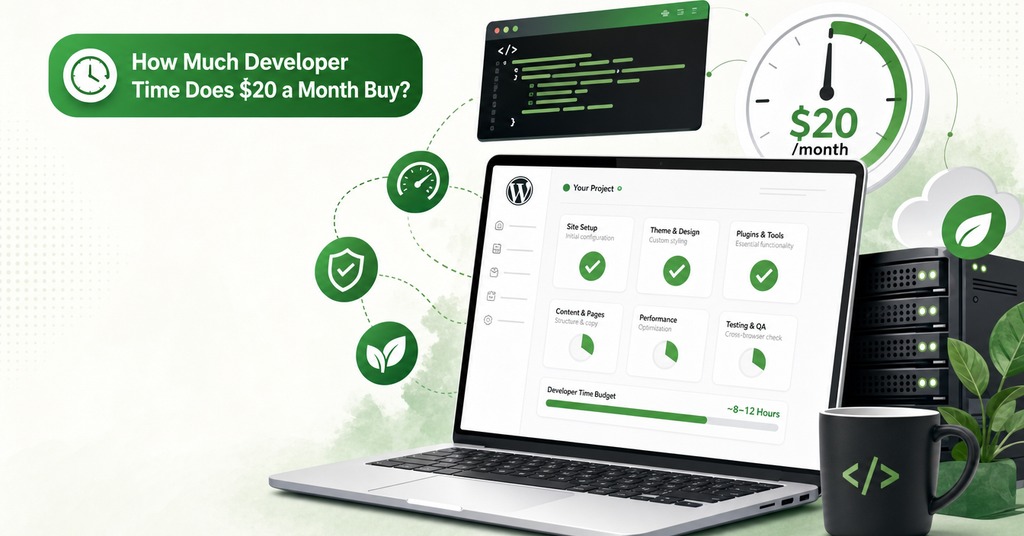
Kinsta’s Single 35k plan at $30 a month annualized, minus a Nexcess plan at $10 that hosts the same site, leaves $20, and WP Engine Startup at $30 against Cloudways on DigitalOcean at $11 leaves $19.
Against 2026 freelance rates, $20 a month buys 29.5 minutes of a developer billing $40.65 an hour, 17.4 minutes at $69, and 8 minutes at $150. Annualized, that is between 1.6 and 5.9 hours of professional time a year. At this tier the premium costs less than the labor it displaces, by a margin wide enough that the comparison does not need refining.
Why Agency Managed Plans Cost $340 a Month
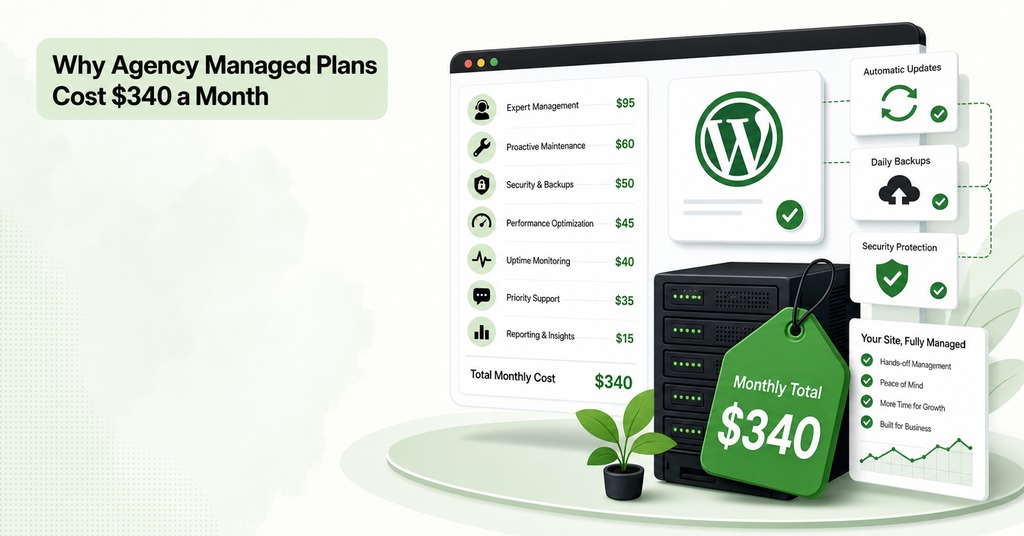
The arithmetic that favors managed hosting at entry pricing reverses at the top of the market, where the published figures are monthly rates and the premium rises much faster than the work it replaces.
The Premium at 20 Sites and 500,000 Visits
Kinsta Agency 20 covers 20 installs and 500,000 visits at $340 a month, against $40 to $80 for a comparably resourced Cloudways or Nexcess arrangement at the same capacity, leaving a premium of $260 to $300 a month. At $69 an hour that premium is 3.8 to 4.3 hours of developer time every month spread across twenty sites, and few agencies spend four hours a month on hosting-adjacent work across a book that size.
WP Engine Core, the first tier with isolated resources and a 99.99% uptime SLA, starts at $400 a month against $100 for Rocket.net Business. That plan covers 10 installs with unmetered visitors. The $300 difference between them is 4.3 hours a month, or 52 hours of billed developer time a year.
What the Higher Tiers Add
Some of that money buys things the entry tiers lack, starting with isolated resources. WP Engine marks Startup, Professional, Growth and Scale as shared environments on the plans page itself, so the isolation buyers assume they are paying for at $30 begins at $400. Guaranteed PHP workers, a contractual uptime SLA and a named account manager account for the rest, and Kinsta assigns account managers only from its larger plans.
Those four features pay for the 52 hours a year that WP Engine Core costs over Rocket.net Business only where an hour of downtime costs more in lost revenue than the premium does, which rules out most small sites.
Add-Ons That Cost Extra on Managed Plans

The tasks buyers name first when asked what they are paying for are frequently priced outside the plan itself.
Do Managed Plans Include Plugin Updates?
Plugin and theme updates, the thing people say they are buying, are also the task most often excluded from the plan. Where it is charged separately:
Kinsta Automatic Updates, $3 per environment per month
Flywheel Managed Plugin Updates, $8 per site per month
Cloudways SafeUpdates, from $3 a month
WP Engine Smart Plugin Manager, one license included at the $400 Core plan and an add-on on every Essential tier beneath it
Pressable, Nexcess and Rocket.net include it, leaving the split close to even across the category.
Object Caching and Redis
Buyers assume object caching comes bundled more reliably than any other feature, and it is billed separately with the same regularity, appearing on the second invoice as a separate line. Cloudways gives Object Cache Pro, a Redis object cache for WordPress, to any server of 4GB or above at no charge while advertising its value at $95 a month, while Kinsta charges $100 per site per month for the same class of tool and Rocket.net does not sell it below its $649 Enterprise tier. The same product is therefore free, metered or unavailable depending only on which platform is billing for it.
How Often Do Managed Hosts Back Up?
Every vendor in this set will back up WordPress for you, and behind that one term the retention window is a separate variable at every price point:
WP Engine, 30 to 60 days
Rocket.net, 30 days
Flywheel, 30 days
Nexcess, 7 days on its cheapest tier and 30 higher up
Frequency is priced separately again. Kinsta backs up every 24 hours by default and charges $20 per site per month to move to six-hourly and $100 to move to hourly, while Pressable alone defaults to hourly database backups plus daily full backups at entry pricing.
Uptime Monitoring and Managed WAF
Site uptime monitoring with alerts is an optional add-on across all four WP Engine Essential plans, with a single license included at Core, and advanced DDoS protection and a managed web application firewall stay optional add-ons on every tier including Core itself, so at $400 a month the security product most buyers assume came with the plan is still a line item. Kinsta and Rocket.net both include a managed firewall on every plan. GreenGeeks takes the bundling approach from the shared side, including daily backups, free SSL, LiteSpeed with LSCache and CDN support at no per-item charge, though its published security language covers network-layer firewall and DDoS protection without naming an application firewall ruleset.
Does Managed Hosting Stop Your Site From Getting Hacked?
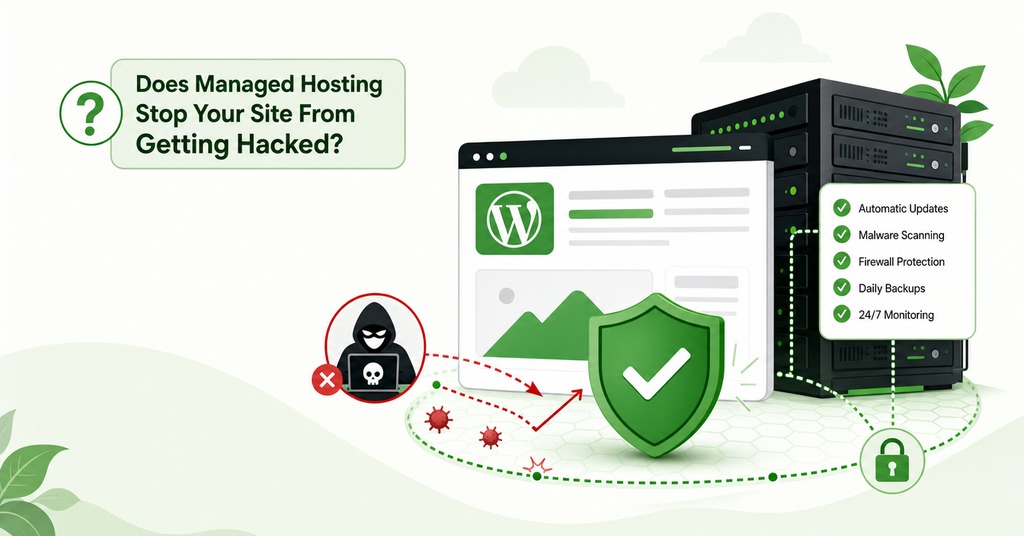
No, and the pentest numbers are direct enough to settle it. Managed hosting buys a cheaper and shorter recovery, which is a narrower product than the sales pages imply.
What Host Firewalls Block and What They Miss
Under controlled pentesting in 2025, traditional host defenses blocked 12% of WordPress-specific vulnerability attacks in the narrower test and 26% of total attacks in the wider one, and block rates varied widely between hosts using similar tooling, so configuration is the variable that matters.
The Bricks Builder remote code execution flaw in early 2024 shows how this fails in practice, with mass exploitation scripts running within hours of disclosure and every popular firewall deployed by hosting companies failing to stop them. A firewall delivered through DNS or a CDN cannot see which plugins are installed or what authorization an authenticated user holds, so the request is unremarkable on the way in. Broken access control was the most exploited vulnerability class of 2025 for the same reason.
Plugin Count Matters More Than Hosting Tier
The WordPress ecosystem produced 11,334 new vulnerabilities in 2025, a 42% rise on the previous year, with plugins accounting for 91% of them and six in core, all of them low priority. A site running six maintained plugins with auto-updates enabled has a smaller attack surface than a site running forty, on any host, and premium marketplace components make the count worse, with 76% of their vulnerabilities exploitable in live attacks and three times the known exploited vulnerabilities of free components. No hosting plan changes which plugins you installed.
A monthly retainer and a scheduled update run are both slower than the people reading the disclosure, since attackers reach a newly published vulnerability at a weighted median of 5 hours and about half of the high-impact ones are hit inside a day.
Free WordPress Core and Plugin Auto-Updates
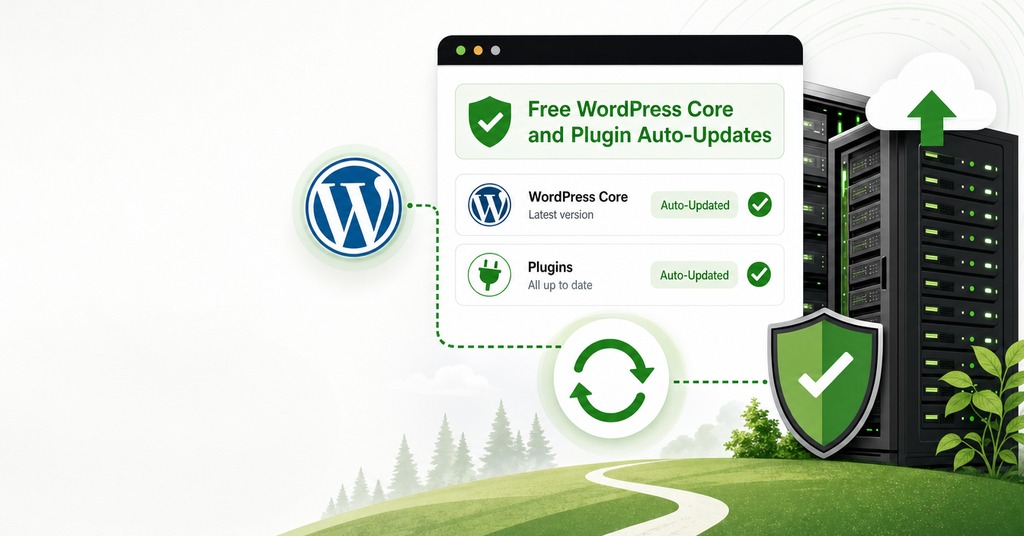
WordPress has shipped automatic background updates for minor and security releases since version 3.7 in October 2013, on every host, at no cost. Since version 5.5 in August 2020, wp-admin has had a per-plugin and per-theme toggle that lets any site owner update WordPress plugins and themes automatically, switched on in about a minute. On cPanel or Plesk hosting, WP Toolkit adds one-click updates and update scheduling on top of that. Between them they cover most mainstream shared hosting.
The paid version of that same function adds visual regression testing and automatic rollback, so an update that breaks the site gets reverted before anyone sees it. That rollback is worth paying for at a business that sells through its site, though the phrase managed updates promises considerably more than it covers.
Platform Limits on Managed WordPress Hosts
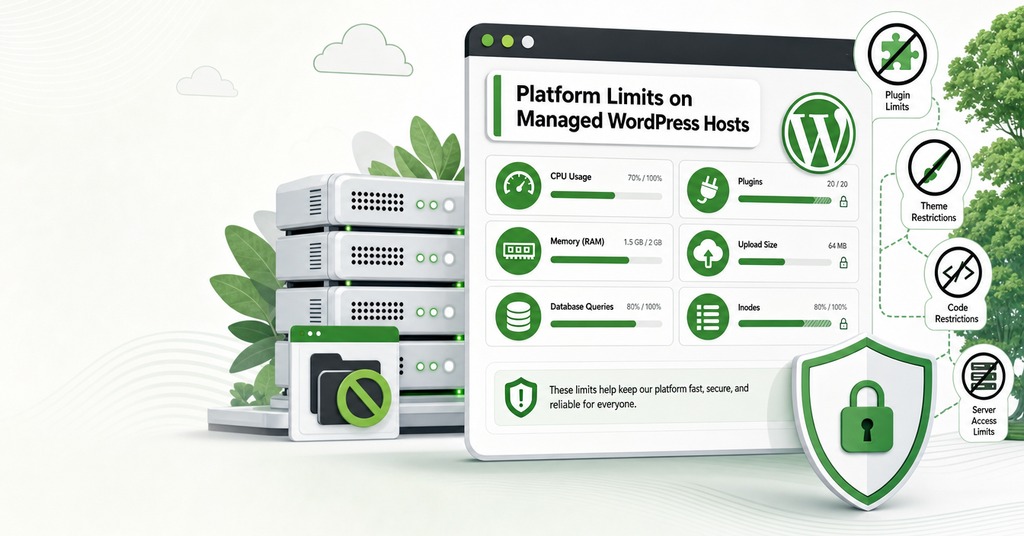
Managed environments are tuned for the platform’s average customer, so the vendor sets the defaults, and no plan comparison records that constraint.
Disallowed Plugins and Memory Limits
WP Engine’s platform settings, updated in July 2026, set a default WordPress memory limit of 40MB for a single site and 64MB for multisite, raisable to a hard ceiling of 512MB. Uploads default to 50MB and go to 256MB only by contacting support, with anything larger moving over SFTP or SSH. PHP image resizing is capped at 8000 by 8000 pixels and the documentation states the cap cannot be increased. A long query governor kills slow database queries and returns a KILLED QUERY error unless an override is defined in wp-config.php. Post revisions are limited by default. Publishers meet that setting before any of the others.
The other surprise arrives at migration, in the disallowed-plugins list. Caching plugins including W3 Total Cache, backup plugins including BackupWordPress and VersionPress, and further categories for server thrashing and duplicate behavior are removed rather than disabled. A site that has run W3 Total Cache for six years moves across and loses it. Restoring default WordPress behavior on a premium platform means opening a ticket and, for some settings, moving up a plan.
What Support Will Not Troubleshoot
Cloudways sells plugin and theme troubleshooting and performance optimization as a $100-a-month Advance Support add-on, currently promoted at $25, that the standard tier does not include. Since almost every WordPress problem that reaches a support queue is a plugin problem, most buyers will eventually open that ticket. Rocket.net hosts WordPress and nothing else and offers no email hosting at all. Flywheel also has no email accounts, and it offers phone support during weekday business hours only.
When Is 24/7 Support Worth Paying For?
Round-the-clock coverage is the one thing no freelancer can sell at any hourly rate, which makes it the strongest argument for the premium. Pressable advertises a four-minute average first response and Rocket.net promises response times in minutes rather than hours, both of them vendor claims, and both describing overnight and weekend availability that a solo contractor cannot match.
Malicious file uploads nearly tripled across November and December 2025, driven by high consumer traffic meeting reduced IT staffing, so the exposure peaks in the weeks when the fewest people are working. Written malware remediation matters for the same reason, and Kinsta’s free malware removal on every plan, for as long as the site stays there, converts a variable cleanup bill into a fixed monthly fee. At $69 an hour a single four-hour cleanup costs $276, against $240 for a full year of the entry-level premium.
That coverage does have limits. The Lock360 malware family stays resident in server memory and rewrites index.php and .htaccess the moment they are restored, so the backup-and-restore remedy at the center of managed hosting does not work against it. In September 2024, WordPress.org blocked WP Engine from its resources, and WP Engine customers lost access to the update process for the duration of the block.
Should You Pay for Managed Hosting?
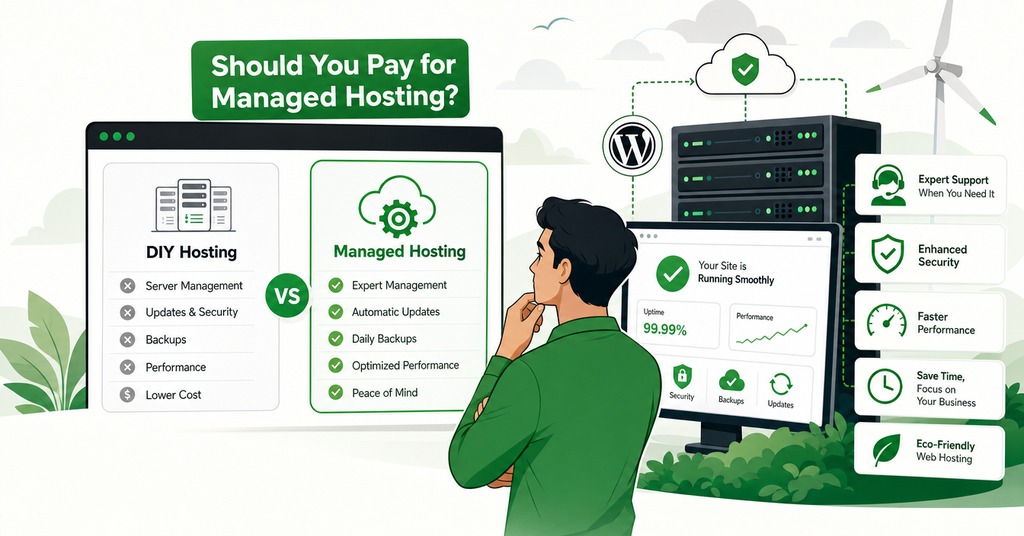
The case for declining at entry pricing is straightforward even with the arithmetic running the other way. Update discipline and a short plugin list cut risk in ways no plan tier does, and a site owner who would not be woken by an outage is paying $20 a month for a response time nobody in that position will use.
The value of an hour of the owner’s own time, multiplied by the hours a failed weekend would take to repair, sets the ceiling on what the premium is worth paying. The contract settles the remainder, since malware remediation counts only where it is promised in writing, and the tasks a buyer believes the plan covers have to be listed at the tier being bought.
At any tier the money buys a faster response to a problem the site was going to have anyway. The entry-level premium prices that response at 8 to 30 minutes of developer time a month. At the agency tiers the same response costs close to four hours.
Frequently Asked Questions
What is managed WordPress hosting?
It is hosting where the provider handles caching, core updates, backups, staging and security scanning instead of leaving them to the site owner. There is no industry-standard definition, and the included task list varies sharply by vendor.
How much does managed WordPress hosting cost in 2026?
For one site at 25,000 to 35,000 monthly visits, annualized entry plans cost $250 at Pressable, $300 at Flywheel and Rocket.net, $350 at Kinsta and $360 at WP Engine. Nexcess sells the same capacity from $60 a year. The mainstream plans span a threefold range and the full market sixfold.
What is the difference between shared hosting and managed WordPress hosting?
At $30 a month the site is still on shared hardware. The four cheapest WP Engine tiers are marked as shared environments on the plans page, and dedicated resources with a 99.99% uptime SLA begin at $400. At managed pricing the task list changes while the machine underneath stays the same.
How much does WordPress maintenance cost per month?
Freelancer-supported maintenance runs $75 to $300 a month and agency-level plans $200 to $1,000 or more. WooCommerce retainers run $500 to $3,000, against a do-it-yourself cost of $0 to $50.
Are there plugins you cannot use on managed WordPress hosting?
Yes. WP Engine maintains a disallowed-plugins list covering caching plugins such as W3 Total Cache, backup plugins including BackupWordPress, plus categories for server thrashing and email. A disallowed plugin will eventually be removed from the site.
Is malware removal included with managed hosting?
Some hosts include it in writing. Kinsta covers free malware removal on every plan for as long as you host there, and Flywheel will restore a hacked site free of charge. Cloudways sells Malware Protection as a paid add-on from $4 per app per month.
When is managed WordPress hosting not worth it?
Liquid Web’s own guidance names a limited budget, comfort with managing servers directly, and a need for a customized environment in place of a pre-configured one. A site with few plugins and core auto-updates enabled fits the same profile.
Has a managed WordPress host ever been breached?
Yes. GoDaddy disclosed in a filing dated November 22, 2021, that an unauthorized third party had accessed its Managed WordPress provisioning system from September 6, 2021, until discovery on November 17, 2021. Data for up to 1.2 million customers was exposed, including sFTP and database credentials.
What happened to WP Engine customers in 2024?
WordPress.org blocked WP Engine from its resources on September 25, 2024, disconnecting WP Engine-hosted sites from the update process available to every other host. Service was restored, but the episode showed that a managed host depends on a supply chain it does not control.
Do managed hosts offer free migration?
Most managed hosts do. Kinsta advertises unlimited free migrations handled by its own team, and Rocket.net completes 95% of its free migrations in under 12 hours.
Is Liquid Web the same company as Nexcess in 2026?
Effectively yes for WordPress hosting. Liquid Web’s managed WordPress product now redirects to Nexcess with a notice stating that it is offered exclusively through its sibling brand.


