
How to Build Out a Small Business Financial Automation Strategy


You didn’t start your business to spend your evenings playing detective with a shoebox of faded receipts, or sending that third “Just following up!” email about an invoice from six weeks ago.
And yet — here you are!
(Again.)
Meanwhile, the big-picture work that actually moves your business forward keeps getting bumped to tomorrow.
Which, coincidentally, never seems to arrive.
But, truthfully, most of the financial busywork eating your week doesn’t actually need you.
It needs a financial automation strategy that takes the repetitive, less sophisticated stuff off your plate — the data entry, the payment chasing, the receipt wrangling — so you can spend your time on the work only you can do.
So, let’s build you one!
What to Automate First: Start With Your Biggest Pain Point
Start with the system that fixes the biggest pain in your… pocket.
How to Find Your Financial Pain Points
Not sure where to begin?
These questions will help you figure out your biggest issues to tackle through automation:
- What processes cost you the most? Whether that means actual expenses, lost income, or lost opportunities.
- Where do you lose the most time? Time is money for small businesses!
- Where do you or your team make the most errors? Errors cost time, money, and, critically, sanity.
- What financial process in your businesses brings on the most anxiety? This may seem trivial in the moment, but over time the anxiety you feel around a certain financial topic can lead to avoidance and even increased mistakes.
Got a lot of answers to the above?
Relatable. We got you.
We’ll say that most businesses get the fastest return on investment by automating invoicing, then connecting other tools once that foundation is solid.
The pain is immediate and the stakes are high.
According to a 2025 report, U.S. small businesses with outstanding invoices are currently owed more than $17,000 each on average.
And close to 60% say they’d consider invoicing both manual and labor-intensive.
Automated invoicing tools like QuickBooks Online, FreshBooks, or HoneyBook can generate invoices automatically when a project milestone is hit, send payment reminders on a schedule, and even flag overdue accounts without you lifting a finger.
The goal with automation here is a more consistent, professional billing process that gets you paid faster.
Other Opportunities for Financial Automation
In addition to invoicing, here are some other small business areas worth automating.
Expense Tracking and Receipt Capture
Tools like Expensify, Dext (FKA Receipt Bank), or QuickBooks’ built-in mobile app let you or your team photograph receipts immediately and automatically categorize them.
This is especially valuable for employee reimbursements across multiple projects, a common source of tax-time chaos.
Bank Reconciliation
When your accounting software connects directly to your business bank accounts, transactions are imported and matched automatically.
QuickBooks Online and Xero both handle this natively — just connect your bank feed and they’ll match transactions and flag discrepancies automatically.
If you want a more dedicated reconciliation layer, tools like Recon.ai or Numeric are built specifically for this, with smarter matching logic and audit trails that are especially useful once you’re managing multiple accounts.
Payroll
Platforms like Gusto or OnPay automate tax calculations, direct deposits, and compliance filings. This isn’t just a time-saver; it’s a liability reducer.
Cash Flow Forecasting
Tools like Float or Pulse connect to your accounting software and give you a rolling view of expected cash in and out.
When you can see 30, 60, or 90 days ahead, you make better decisions around hiring, investing in equipment, or simply knowing with confidence that payroll is covered.
Tax Preparation
Automated expense categorization and mileage tracking (apps like MileIQ are purpose-built for this) ensure that deductions don’t slip through the cracks.
Many small business owners leave thousands on the table each year simply because their records are too disorganized to support the deduction.
With hundreds of options on the market, the key is to match tools to your needs and priorities.
Conduct an Audit
Start by auditing your current stack. What do you already use?
Many businesses are surprised to find their existing accounting software already has automation features they’ve never turned on.
Consider Integrability
When evaluating new tools, prioritize integrations.
A tool that doesn’t talk to your accounting software, CRM, or project management system will create manual work at the handoff points — exactly what you’re trying to eliminate. Check that it connects cleanly to QuickBooks, Xero, or whatever sits at the center of your financial operations.
Prioritize Security
Security and compliance matter more than most business owners realize.
Financial automation tools handle sensitive data like client payment information, employee records, and tax filings. Look for tools that offer two-factor authentication (2FA), data encryption at rest and in transit, SOC 2 compliance, and clear data retention and deletion policies.
2FA
“2FA” is an abbreviation for “Two-Factor Authentication”, which is sometimes referred to as Multi-Factor Authentication (MFA). In plane English: to log in, you have to prove who you are in two different ways — your password, plus a one-time code sent to your phone, for example. Harder for bad actors to fake both.
Read More
If you operate in a regulated industry or handle client financial data, verify that your tools meet any applicable compliance requirements (PCI DSS for payment processing, for example).
Ask: Can It Scale?
Finally, think about scalability.
The tool that’s right for a five-person operation may not serve you well at twenty. Choose platforms with pricing tiers that grow with you, and avoid locking into annual contracts until you’ve validated the workflow.
5 Steps to Setting Up Financial Automation
Here’s how to phase it so you’re not stalling at step two.
Step 1: Document Current Processes
Before automating anything, write down exactly how it works today, from how a client engagement begins to how revenue gets recorded.
You can’t automate a process that fundamentally doesn’t work, or that you don’t intimately understand!
Trying to do so just encodes existing inefficiencies.
So, don’t, ya hear?
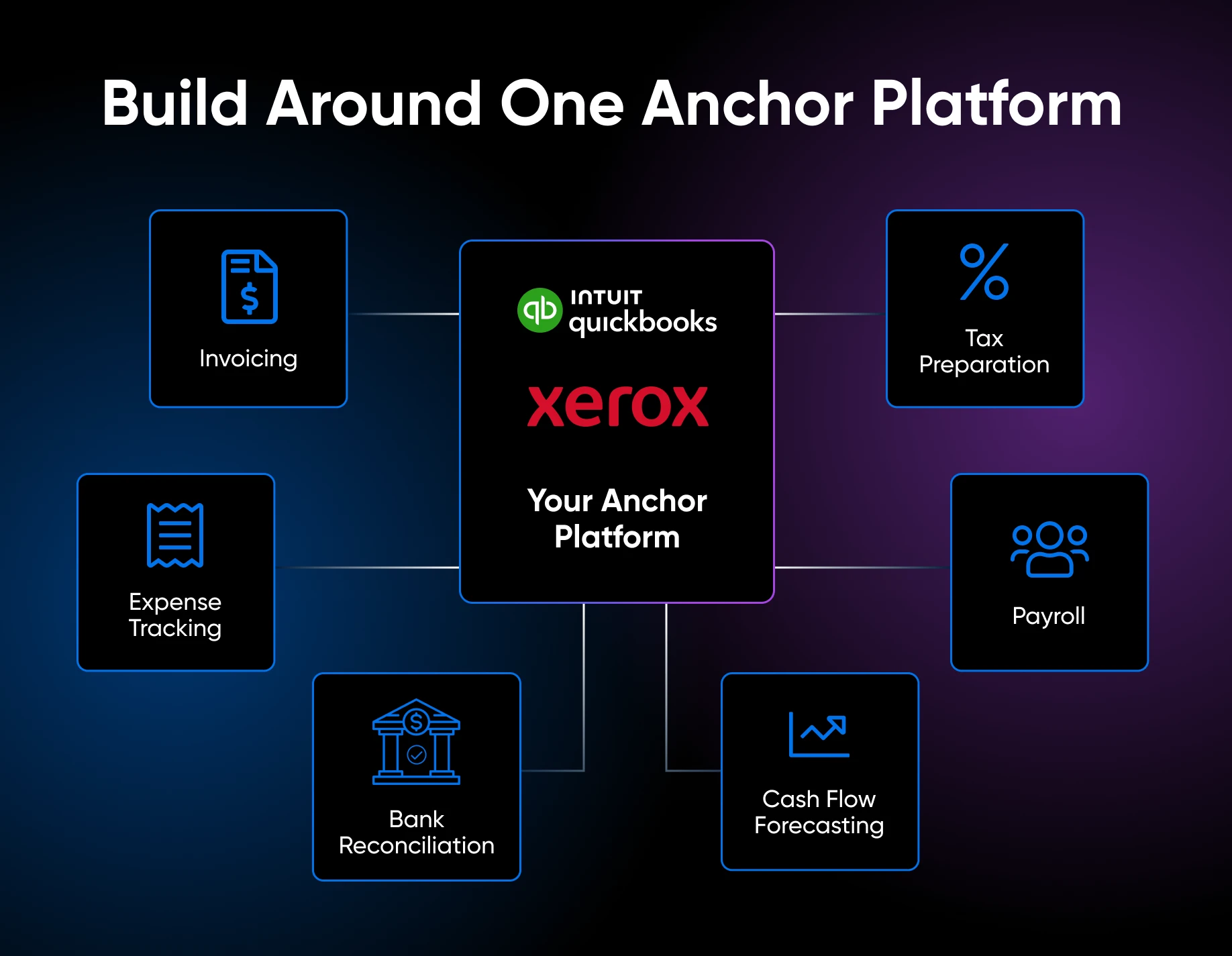
Step 2: Choose an Anchor Platform
Pick one central accounting or financial management tool (QuickBooks Online and Xero are popular for a reason, and common for established small businesses).
Everything else should integrate with this system.
Step 3: Automate One Workflow, First
Set up automated invoicing with payment reminders, or connect your bank accounts for automatic reconciliation.
Run this flow alone for 30 days to make sure it doesn’t only work but you like how it operates inside your workflows and team. Then you can expand this process elsewhere.
Step 4: Add Connected Tooling
Once the first workflow is stable, layer in expense tracking, then payroll, then forecasting.
Expand deliberately — one validated workflow at a time.
Step 5: Set Up Your Review Cadence
Automation, as much as we’d like it to, doesn’t mean set-and-forget.
Schedule a monthly 30-minute review of your financial dashboards so you’re actually using the visibility you’ve created.
Why is Financial Automation a Critical Step for Growing Businesses?
Simply put: Growth requires change.
The systems that got you to where you are today will not get you to where you want to go.
Manual processes break at scale. What worked when you were a solo operator becomes a liability when you have employees, multiple projects, and bigger clients expecting professional systems.
There’s also a professionalism dimension that’s easy to underestimate. Consistent, branded, on-time invoicing signals to clients that yours is an organization worth working with long-term.
And then there’s just the revenue of it all. Every hour you spend on manual financial tasks is an hour not spent on the work that brings money in.
A quick note before we close: every financial integration, payment tool, and client portal you’ve been setting up lives somewhere — and that somewhere is your website. A site that’s slow, unreliable, or insecure doesn’t just hurt your brand. It puts the financial infrastructure you’ve been building at risk.
And our own research confirms that websites are the most powerful business trust signal!
Reclaim Your Days with Financial Automation
The goal here is not to hand your business over to software — it’s to stop spending your valuable hours on manual financial work that an automated system can handle.
Start by documenting how your processes actually work today. Fix the worst pain point you uncover (for most businesses this is invoicing) then anchor everything to one central accounting platform.
Next, automate a single workflow. Let it prove itself for 30 days before moving on to improving expense tracking, payroll, and forecasting.
When you’re evaluating which tools to use while building out your automations, weigh how well they’ll integrate, how seriously they handle security, and whether they’ll still work well as you continue to grow.
And remember: automation isn’t set-and-forget. A monthly 30-minute review is what turns “I set this up once” into “this actually runs by business better.”

Financial Automation
Stop Chasing Invoices. Automate Your Business Finances.
A free playbook for small businesses: automate expense tracking, payments, cash flow forecasting, and tax prep from one connected system.
Get the Free eBook
Did you enjoy this article?

